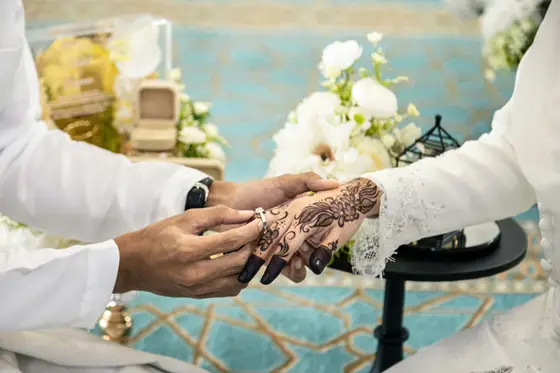
Digital invitation
A digital wedding invitation for Malaysia, in one link
Indahnya, a QR photo gallery for Malaysian events, also makes the digital invitation (e-kad). One link carries both families, programme, doa, maps, salam kaut DuitNow QR, RSVP, table finder and wishes. There are five templates, and it is included in every plan, even Free.
Updated 12 November 2026
What a Malaysian digital invitation carries
Guests get one link on WhatsApp. They tap it and the invitation opens in the phone browser, with no app and no sign-in.
- Both families' names, the date, time and venue, with buttons to open Waze and Google Maps.
- A countdown to the day, and a save the date button for Google Calendar or an .ics file.
- The programme (aturcara), the doa and the dress code.
- RSVP: name, phone number, attending or not, number of guests, which side, meal choice and a note. The host sees totals and exports a CSV.
- Salam kaut (a cash gift) with a DuitNow QR that any banking app can scan.
- A table finder: guests type their name and get a table number.
- Wishes, written or recorded by voice, which the host can download.
- Background song, a WhatsApp or call button, and the couple's photos.
- A button to the photo gallery, where guests upload and view photos.
Five templates, same invitation
Pick one and switch any time. The content stays the same and the look changes. This is the real invitation from a sample reception. A fictional sample. Names and wishes are made up.
- Garden: sage green, leaves and a handwritten feel.
- Klasik: cream and maroon with a classic frame.
- Moden: black and white, large photo, bold type.
- Emas: midnight blue and gold, art deco.
- Minimal: off-white, plenty of space, fine lines.
Five is deliberate. There is no catalogue of hundreds to scroll through.
Cost
The invitation is part of every plan. Free is RM0 with every feature, limited to 50 uploads, kept 30 days after the event. RM59 one-time gives unlimited uploads and keeps photos 1 year. RM99 one-time keeps them 2 years and removes the Indahnya badge from the card. Paid through CHIP, in Ringgit, including FPX online banking. See pricing.
If your invitation is made elsewhere
You do not have to switch. Use Indahnya for the photos alone.
- Create the event and take the QR code and the photos-only link.
- Put the link in your existing invitation, or send it on WhatsApp.
- Print the QR for the tables. Guests scan, upload and everything lands in one gallery.
How that works at the reception is in how to get guests to upload photos and wedding photo sharing in Malaysia.
What it does not do
- Guests need no app, but the host signs in to edit the invitation.
- One event is one date and one venue. Two receptions mean two events and two links.
- It does not print an album.
- Indahnya is not open to the public yet. See the QR photo gallery home page or WhatsApp us.
Common questions
Is the digital invitation extra?
No. The invitation is part of every plan, including Free (RM0, 50 uploads). There is no separate price for it. Paid plans are RM59 or RM99 one-time, counted from the event day.
Do guests need an app to open it?
No. Guests open one link in their phone browser, with no app and no sign-in. The host signs in to edit the invitation.
Can I use an invitation made elsewhere and use just the photo gallery?
Yes. You get a QR code and a photos-only link to put in your existing invitation or send on WhatsApp. Guests scan, upload and everything goes into one gallery.
See it working first
Indahnya isn't open to the public yet. The sample majlis below is fictional and shows every part: the kad, the gallery, RSVP, seating and wishes.